How to play virtual Lotería on Zoom, Meet or FaceTime
The classic way to do Lotería over Zoom is painful: someone holds a card up to the webcam, half the family can’t see it, and nobody can check anybody’s board. There is an easier split — let the browser handle cards and boards, and let the video call handle the people.
Why holding cards up to the webcam doesn’t work
Webcams flip images, blur detail and compress anything that moves. The caller has to hold each card still for three seconds, cousins on bad connections see it two seconds late, and every tabla lives on a kitchen table in a different city where nobody can check it. The usual result is a game that runs at half speed and ends in “I swear I had the bell”.
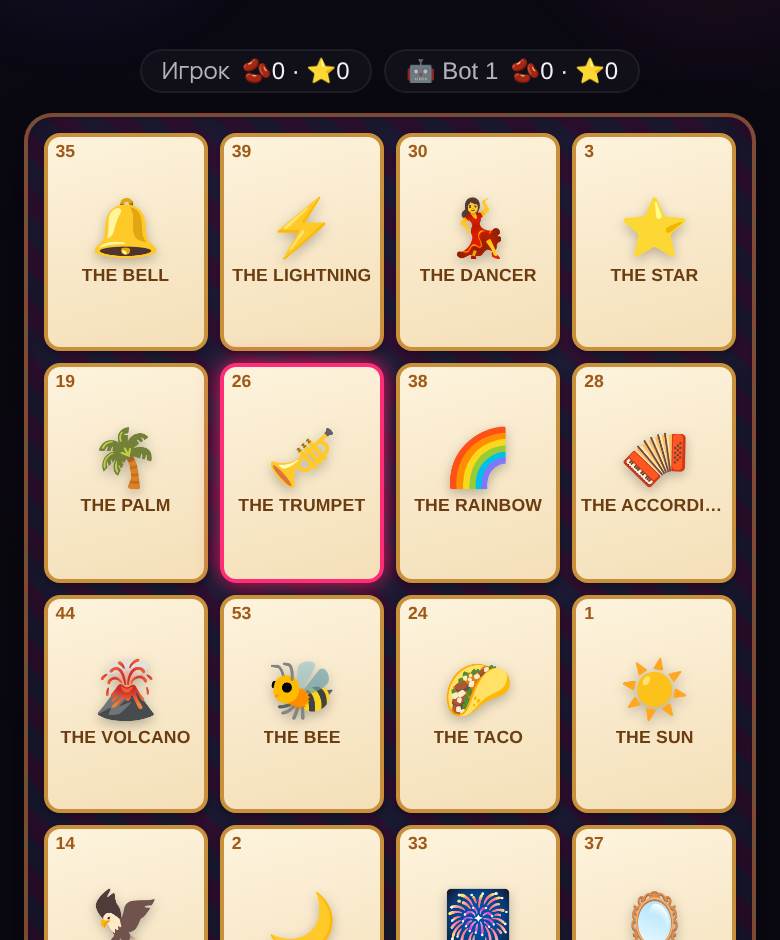
Our online Lotería fixes the parts the camera can’t. Every player gets their own 4×4 tabla on their own screen, the server shows each card to everyone at the same instant, and a shout of ¡LOTERÍA! is checked automatically. The video call stays open next to it for the part that matters: faces, noise and the verses.
What you need
- A video call on whatever the family already uses — Zoom, Google Meet, FaceTime, WhatsApp, Discord. The game doesn’t connect to it; they simply run side by side.
- A second screen per player, or one screen split in two. The easiest setup is the call on a laptop or TV and the game on a phone. One device works too: on a computer, put the call and the game side by side.
- 2 to 40 players per room. Plenty for the whole extended family: every cousin can have their own tabla, or pair up one phone per household with the kids doing the tapping.
- Nothing to install. The game runs in the browser. No accounts, no app store.
Set it up in five steps
- Start the video call first, so everyone is already together when the link arrives.
- Open a Lotería room. You get a link and a four-character room code.
- Paste the link into the call chat or the family group. Each person opens it, types a name and lands in the lobby. Whoever is stuck can type the code by hand.
- Choose how many round wins take the match — 1, 2, 3 or 5; two is the default and fits in about seven minutes. Short on players? Add a bot or two.
- Pick a cantor, hit start, and play. Rematch is one tap, with fresh tablas.
Give someone the cantor’s job
The server draws a card every four seconds and stays silent. (A host who picks “I call, not play” can switch on a browser voice that reads each card’s name, but it only says the name, never the verse.) That is the opening for the best role of the night. One person — usually the relative who always called at family parties — stays unmuted and sings each card’s verse before saying its name. Everyone else mutes, listens and races. Our Lotería cards list has a one-line verse for each of the 54 cards, so even a first-time cantor sounds like they have done this for years. More technique in the Lotería caller guide.
The cantor can play their own tabla too: the card is on their screen at the same time as everyone else’s, so singing doesn’t cost them the round. If that feels unfair, rotate the role every round.
Small things that make the night work
- Gallery view. Lotería is about reactions — the groan when someone hits fourteen squares, the shout when they fill the board. Seeing faces is half the fun.
- One sound source. If two devices in the same room are both on the call, you get echo. One device on the call per household, the rest on the game only.
- Phones upright. The 4×4 board fits on a phone screen without scrolling in portrait, and you play one-handed.
- Keep score of matches, not just rounds. The game counts round wins; keep a running tally of match winners in the chat across the evening.
- Prizes optional. At a physical table the winner takes the bean pile. Online, let the winner pick the next game or the next cantor.
A sample 30-minute evening
- Minutes 0–5: everyone joins the call, the host drops the link, latecomers type the code. One bot rounds out the table.
- Minutes 5–12: a warm-up match at one round win, so first-timers learn the buttons. The host sings the verses.
- Minutes 12–25: the main match at three round wins. The previous winner becomes the cantor — it keeps the leader busy.
- Minutes 25–30: a rematch for anyone who demands one, or a switch to another game while everyone is still on the call.
Occasions it fits
Virtual Lotería earns its place whenever the family table is spread across cities: Sunday calls with grandparents, Día de Muertos, a Christmas Lotería during the posadas, or a remote team that needs ten minutes of something that isn’t a meeting. Teachers use the same setup with a class on Meet, see Lotería for Spanish class. If the group wants to keep going after a few matches, there are more ideas in games for video calls.
Rather play with paper at home and only use the call for the caller? Print tablas from the printable Lotería page — just know that nobody can check a claim over a webcam, so you will be playing on the honor system. First time playing at all? Start with how to play Lotería.
FAQ
Can you play Lotería on Zoom?
Yes. Run the call on Zoom and the game in a browser: open a Lotería room, share the link in the Zoom chat and everyone plays on their own tabla while you talk.
Do I need to share my screen?
No. Every player sees the called card on their own screen at the same moment, so there is nothing to share. Screen sharing only adds lag.
How many people can play virtual Lotería?
Up to 40 players per room, so even a big family fits in one game. Little kids can share a device with a parent.
Is it free?
Yes, free in the browser, with no sign-up and no app to download.
🌵 Play Lotería right now
Against a bot, no sign-up — your first game in a couple of minutes
More about Lotería · Browse all 40 games · Online party games with friends