What is Gift Grab?
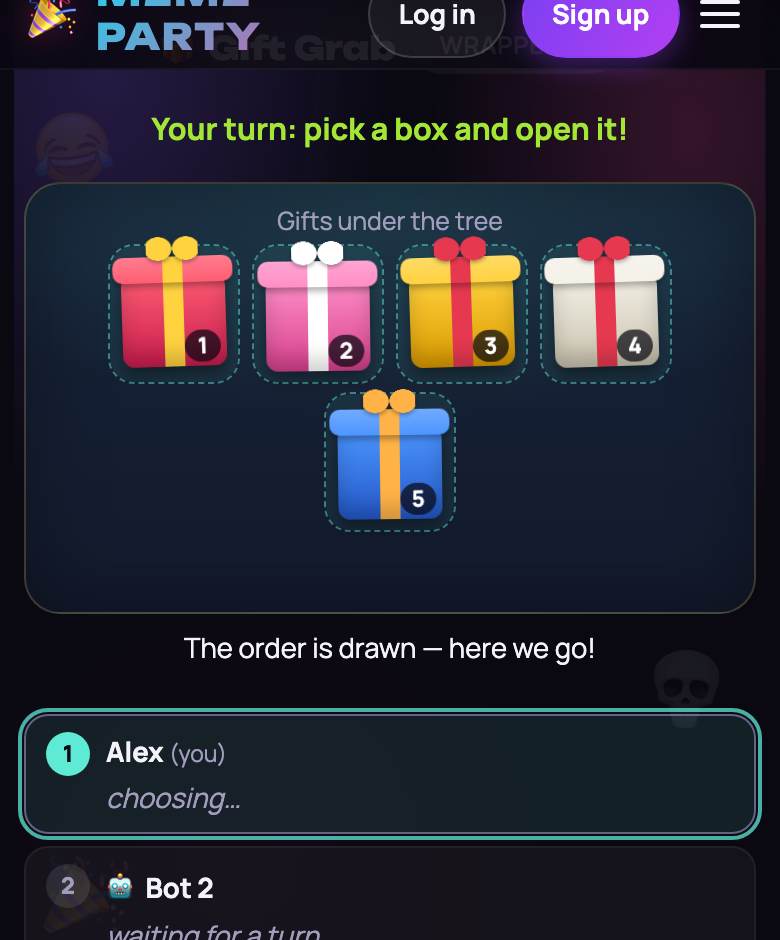
Gift Grab is a live online gift exchange game for groups of 3 to 20. Everyone joins one room from a phone or a laptop, a pile of wrapped gifts appears on the screen, and players take turns: unwrap a mystery gift, or grab one that somebody else has already opened. The fun is the moment you unwrap the best present of the night and the very next player walks off with it.
The game is free and runs in the browser, with no account and nothing to install. The host creates a room and shares a link or a four-character code. The interface comes in four languages, and each player sees the game in their own. We don’t collect emails or phone numbers.
How the gift exchange works
- The server draws the turn order at random.
- On your turn you choose: unwrap any wrapped gift, or grab an opened gift from another player.
- If your gift gets grabbed, you play right away: unwrap a new gift or grab a different one. You can’t immediately take back the gift that was just taken from you.
- The chain of grabs ends when someone unwraps a new gift. Then the turn passes to the next player in the draw.
- Each gift can only be grabbed so many times: 2, 3 or 4, set by the host (3 by default). After that the gift is frozen and stays with its owner.
- With the final move switched on (it is by default), once every gift is open the first player in the draw gets one last choice: swap with any gift that isn’t frozen, or keep their own.
Two ways to fill the gift pile
The host picks the gift mode in the lobby before the game starts.
- Ready-made set (default). Joke virtual gifts from a family-friendly set of 44: socks, a cactus, a rubber duck, a mug, a blanket and more. Nothing to prepare.
- Our own gifts. After the game starts, every player adds a gift: a name of 2 to 60 characters, an optional link and one of 8 wrapping colors. Photos can’t be uploaded. Anyone who hasn’t added a gift by the time the host starts the exchange, and every bot, gets a gift from the ready-made set.
What is inside a wrapped gift and who brought it stay hidden until it is unwrapped. The giver’s name appears only in the final results.
Start a game in a minute
- Open Gift Grab and create a room. You get a link and a four-character code.
- Drop the link into the group chat. Guests open it on a phone or computer, type a name and land in the lobby.
- A room holds 3 to 20 players. Short on people? The host adds bots to fill the seats. At least one real player is needed.
- Choose the gift mode, the grab limit, the final move and the timer, then start.
- Got a TV or a shared video call? Tap “📺 Big Screen” in the lobby, or open playparty.live/tv on the TV and type the room code.
Lobby settings
- Grabs per gift: 2, 3 or 4. The lower the number, the sooner gifts freeze.
- Final move for player 1: yes or no. It gives the first player a chance to swap at the very end.
- Turn timer: off (default), 30 or 60 seconds. When time runs out, the server unwraps a random gift for that player.
If someone wanders off
One person can’t stall the room. If a player is offline for more than 20 seconds or leaves, the server unwraps a gift for them. When they come back, they reconnect and play their own turns again.
The results card
At the end the game shows a card: each player with their gift, how many grabs happened, and which gift was the most wanted. This is also where you finally see who each gift came from. The “Share the results” button sends the results as text through your phone’s share menu, or copies it.
Using it for real presents
In “Our own gifts” mode the game can run a real gift swap: everyone types in what they have prepared, and the game decides who ends up with which gift. Afterwards people hand over or mail the gifts to each other themselves. The site does not deliver or sell anything.
When to play
An office holiday party, a night with friends before the break, a call with family in three time zones. With the ready-made set it works as a zero-prep warm-up: nobody buys anything, and the fight over a rubber duck is still real. If your group knows this custom as a white elephant exchange or a yankee swap, our guide to playing white elephant online covers rule variations and video-call tips.
Afterwards, switch the same room to Party Box or Bingo. More ideas: holiday party games and office party games.