Music bingo for corporate events, weddings and bars: running it for 150 guests
To run music bingo at a corporate event, a wedding or a bar, the host needs a big screen, their own phone as the remote and a plan that covers the head count — up to 150 guests. Guests join by QR with no sign-up, audio runs through the DJ’s mixer and your company logo can sit on the screen. Here is what to buy, how to prep the venue and how to build the show.
How event music bingo differs from a house party
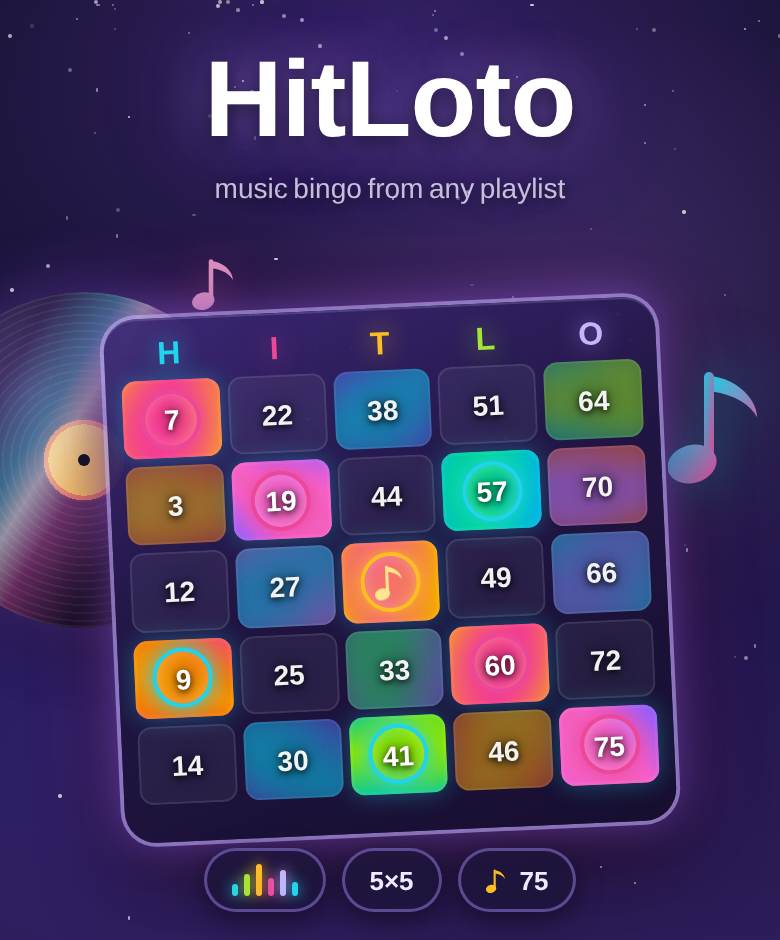
The rules of HitLoto music bingo are the same as in a friend’s living room: a clip plays, guests find the track number on their ticket, complete a line and hit BINGO. The home version is in our music bingo night plan; this post covers what changes with fifty or 150 guests, when you are the host, DJ or event manager answering to a client.
Four things change. Scale: enough seats and a connection that handles the room. Audio: a TV speaker will not cut it. A mixed crowd: dead phones, no smartphones, guests in their seventies. The client: their logo on the screen and a receipt they can file.
Which plan fits your event
Music bingo is always free for guests — only the organizer pays. A free room holds up to 5 guests; for events there are single-game passes and business plans. Prices below are current at the time of writing; the live ones are always on the business page.
- Night pass S / M / L — $4.99 / $9.99 / $19.99 for up to 20, 50 or 150 guests. It lasts while the room is open (up to 12 hours), for any number of bingo and karaoke games. M and L unlock the paid official song packs.
- Event Pass — $49: one corporate night for up to 150 guests. It covers music bingo, karaoke and the platform’s party games with no ads, plus your company logo and name on the screen and tickets. The pass is valid for 30 days after purchase; the night starts the first time a room has more than 5 guests and lasts 12 hours. A two-person rehearsal the day before does not use it.
- Team — $99 a month: unlimited nights up to 150 guests, branding and priority support. Built for HR teams and agencies.
- Venue — $24.99 and Venue Pro — $79 a month: for bars and cafés with regular music nights. Venue Pro adds the venue’s logo to the screen and tickets.
Gear at the venue
- Screen. A projector or a large TV with a browser. Open playparty.live/tv and type the 4-character room code. HDMI only? Plug in a laptop and go full screen.
- Audio. Music plays in the screen’s browser. Run the laptop audio into the mixer or the house amp with a cable — Bluetooth in a room of a hundred people adds lag. Press “Turn on sound” on the screen once: browsers block audio until someone taps.
- Remote. Your phone is the host console: start tracks, reveal titles, manage the buzzer queue and check BINGO claims. Keep it on a charger.
- Guest connectivity. A ticket is tiny and mobile data is fine for most people. In a basement venue, show the guest Wi-Fi next to the QR. Tickets survive dropouts: refresh the page and every mark is still there.
- QR code. The bigger the screen, the farther away it scans. For 150 people, repeat the QR and room code on table cards.
A playlist that fits the room
The official packs cover the most common requests: MTV hits of the ’80s and ’90s, MTV hits of the ’90s and 2000s, late 2000s and early 2010s hits, 2000s hip-hop and R&B, plus a pack of Russian ’90s and 2000s hits for Russian-speaking crowds. For a wedding, build your own: paste a YouTube playlist of the couple’s songs and the platform splits it into artists, titles and years.
For a mixed crowd, use “Theme mix”: tick 2 to 6 packs and they blend in equal shares into one list — say, MTV classics for older guests and 2010s hits for younger ones. Clips that block embedding are flagged in advance, and “Hidden track” mode plays a 30-second audio preview instead.
Printed tickets for guests without a phone
Every event has guests with no smartphone or a dead battery. Print tickets for them: the print page saves to PDF, paper tickets use the same track numbers as digital ones, and each one takes a seat on your plan. When a paper player claims BINGO, you check the ticket by number and the server marks it on the big screen just as fairly.
Branding: your logo on the screen
With Event Pass, Team or Venue Pro, the shop gets a “Business” tab: upload a PNG or SVG logo up to 200 KB and type the company name. The logo appears in the big screen header, on the waiting screen while guests join and in the corner of printed tickets. Then pick a visual theme — corporate, wedding and festival looks are among the options.
A 90-minute run of show for hosts and DJs
- Doors, 10 min. QR and logo on screen, rules in one sentence. Latecomers join mid-game and get a ticket on the spot.
- One-line round, 20 min. Instantly recognisable hits, no buzzer — let everyone find their feet.
- Two-line round, 25 min. Turn on the buzzer: guests hit “I know it!”, you give the floor to whoever was first and award +1, +3 or +5 points. This is also the moment for hidden track.
- Break, 10 min. Dinner, speeches, the client’s own segment.
- Full-house final, 25 min. Podium on the big screen and prizes. If the room wants more, switch to karaoke — Event Pass covers it.
Split the prizes: first line, full house and buzzer leader. That way the music nerds and the lucky ticket holders compete in different leagues. If you want a faster format with no tickets where only music knowledge counts, try the HitQuiz music quiz, and for the rest of the program see our office party games guide.
Checklist for the day before
- Plan purchased, logo uploaded, theme chosen.
- Playlist built, blocked clips checked, a backup pack ticked.
- Two-person rehearsal: screen, audio through the mixer, buzzer and a BINGO claim.
- Printed tickets ready for an extra 10–15% of guests.
- Table cards with the QR and room code in place.
FAQ
Do guests need to sign up or install an app?
No. Guests scan the QR or type the room code in their phone browser and play for free. Only the organizer pays.
What if the event is postponed?
Event Pass is valid for 30 days after purchase, and the night only starts once a room has more than 5 guests. A test run does not burn it.
Can I get a company invoice?
A Stripe receipt arrives by email right after payment. For an invoice with your company details, write to the address on the business page.
What if I have more than 150 guests?
A room tops out at 150 seats. For a bigger event, get in touch ahead of time; every console button is covered in the HitLoto host guide.
🎵 Play HitLoto music bingo right now
You host, guests join from their phones by QR
More about HitLoto music bingo · Browse all 34 games · Online party games with friends

